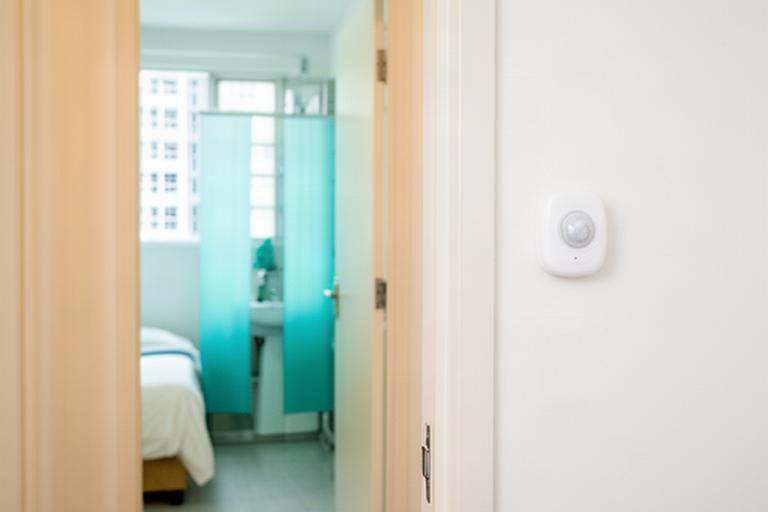
Place discreet sensors
Choose suitable points in living areas, bedrooms, corridors, or bathrooms.
What the sensor notices
Presence, movement, or a change in activity, depending on the selected sensor and placement.
Elderly fall detection · Singapore
The hours that worry families most are often quiet ones: a bathroom visit, a night-time walk, or a morning with no sign of movement. K. S. Sembawang Digital Care Pte Ltd uses discreet sensors to flag possible incidents in HDB homes without placing cameras in private spaces.
Privacy comes first.
01 / The system
Sensors read movement and presence, then compare activity with a pattern built around your parent's routine. The family receives a notification when a configured event needs checking.
Choose suitable points in living areas, bedrooms, corridors, or bathrooms.
Presence, movement, or a change in activity, depending on the selected sensor and placement.
During an initial settling-in period, the system builds context around usual activity.
A morning routine differs from an overnight one. Family-approved settings help the system flag changes that matter to this household.
A suspected fall, prolonged inactivity, or unusual night movement can trigger an alert.
Detection depends on sensor coverage and setup. A notification asks someone to check in; it cannot confirm what happened.
Alerts follow the household's contact order and can be acknowledged by a caregiver.
The first contact follows the agreed response plan. If the alert is not acknowledged, the configured next contact can be notified.
02 / Home layout
The short route between bed and bathroom deserves careful attention. Placement should suit the flat, the resident's mobility, and the privacy they want.
A motion-triggered night light can help make the path visible without asking your parent to find a switch in the dark.
Track broad changes in room activity. The setup can avoid cameras and keep personal routines private.
A suitable sensor can help identify expected daytime movement and prolonged inactivity at home.
Bathroom safety sensors are selected and positioned for the room layout. No camera is placed in the bathroom.
Keep the bedroom-to-bathroom route in mind. Sensor mounting must suit the surface and stay clear of unsuitable wet-area positions.
For rental flats, the assessment can consider removable or low-impact mounting options. Final placement depends on the property and chosen equipment.
03 / Response plan
A wearable button or fixed call point gives your parent a direct way to summon help at home. Agree on who responds and what they do before setting the contact order.
Make the plan together.
Receives the possible night fall alert and checks in using the agreed method.
Receives the next notification if the first contact does not acknowledge it within the chosen interval.
Follows the family's agreed plan and contacts emergency services if the situation calls for it.
Families decide the contact order, acknowledgement window, and response steps. An alert is not a substitute for emergency services.
04 / Family updates
Caregivers see the events the household has approved. Quiet-hour settings can distinguish routine movement from alerts that need attention.
Caregiver notification sent for a check-in.
Primary contact confirmed receipt.
Movement recorded along the bedroom route.
An illustrative activity view can help a family notice gradual changes across weeks. It is context for a conversation, not a clinical assessment.
A sensor event can prompt a caregiver to check in. The alert cannot confirm an injury or explain its cause.
Set a meaningful inactivity window around your parent's usual routine rather than treating every quiet period as an emergency.
Configure notifications for selected night-time patterns or an expected check-in that has not happened.
This service supports awareness and a family response. It does not assess health, confirm a fall, or replace a doctor's advice, hospital care, or emergency services.
Keep medical decisions with qualified professionals. Share activity trends with a care provider only if your family chooses.
If an alert arrives
An alert is a prompt to check, not a diagnosis.
05 / Plan a suitable setup
We can review mobility, bathroom access, sleeping patterns, the HDB layout, and caregiver availability. Your parent should be part of the conversation about what is monitored and who receives alerts.
Start with their comfort and consent.