Switch off what gets left on
Use schedules or presence-based controls for selected lights and compatible appliances. Keep manual overrides in reach.
HDB smart home Singapore / built around your floor plan
Most smart-home packages assume a plant room, spare power points and plenty of space. Your flat has its own rules. K. S. Sembawang Digital Care Pte Ltd plans around rental terms, real room counts and the routines of everyone at home.
Start with safer night-time lighting. Add devices only where they make daily life easier.
Set the starting point
Selected flatThree-room flat
A practical whole-home
starting point
01 / Safer after dark
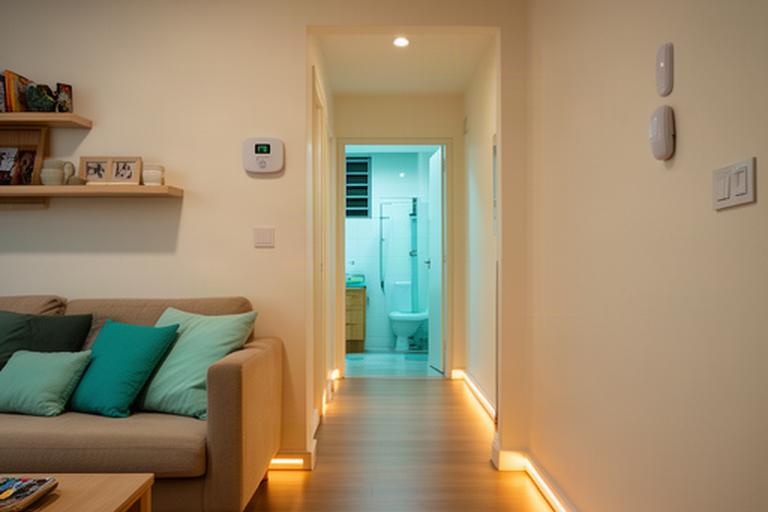
A bedroom-to-bathroom trip can cross a dark corridor and a slick bathroom threshold. Motion-triggered lights can guide the way at a low, wake-sensitive brightness.
Residents keep manual control. Sensors support the routine; they don't take it over.
Set a softer level overnight, then use brighter light during the day.
Plan corridor and bathroom lighting around the actual path through the flat.
Keep familiar switches and agree where automation should step back.
Preview: balanced night lighting
Use the control to preview three brightness levels. Final settings depend on the chosen lights and household preferences.
02 / Everyday efficiency
A useful setup responds to when rooms are used and which appliances are already running. No extra hardware for its own sake.
Use schedules or presence-based controls for selected lights and compatible appliances. Keep manual overrides in reach.
Set routines around wake-up, school runs, rest time and bedtime. Change them when the family schedule changes.
Plan controls for the rooms people use, with the flat's ventilation and existing air-conditioning in mind.
Where compatible device data is available, a monthly usage summary can help your family spot patterns. Actual energy use depends on appliances, settings and household habits.
03 / One home, different needs
A multigenerational smart home should make the important controls easy to find and keep private areas private. Set access by role before devices are connected.
A simplified layout keeps everyday controls close at hand. Each household decides which devices appear.
04 / Pick a sensible starting point
Device counts and installation choices depend on your floor plan, existing equipment and household priorities. Expand a flat type to see a typical starting scope.
For tenants who need useful technology without permanent changes to the flat.
A focused plan for one main living space, with safety and daily access at its centre.
Build a practical route between shared spaces, bedrooms and the bathroom.
For more rooms, more residents or a household with distinct routines.
05 / Plan for the flat you have
An assessment starts with the rooms, devices and people already at home. Then we agree what to install and what each person can access.
Review the rooms in use, corridor paths and the places where lighting or controls could help.
Check what is already installed and where new equipment can sit without crowding the space.
Agree the needs of residents, family members and helpers before setting roles or alerts.
Decide which devices are active, what they collect and who can see their information.