Remote care, made clearer

Be Present From Anywhere With Informed Remote Care

You call every evening. It still isn't the same as knowing whether your mother ate, took her medication or slept well. K. S. Sembawang Digital Care Pte Ltd brings the household's agreed care updates into one view, so you can check in with useful context instead of guessing.

Your parent helps decide what is shared, with whom, and when. Remote support should respect an older person's independence.

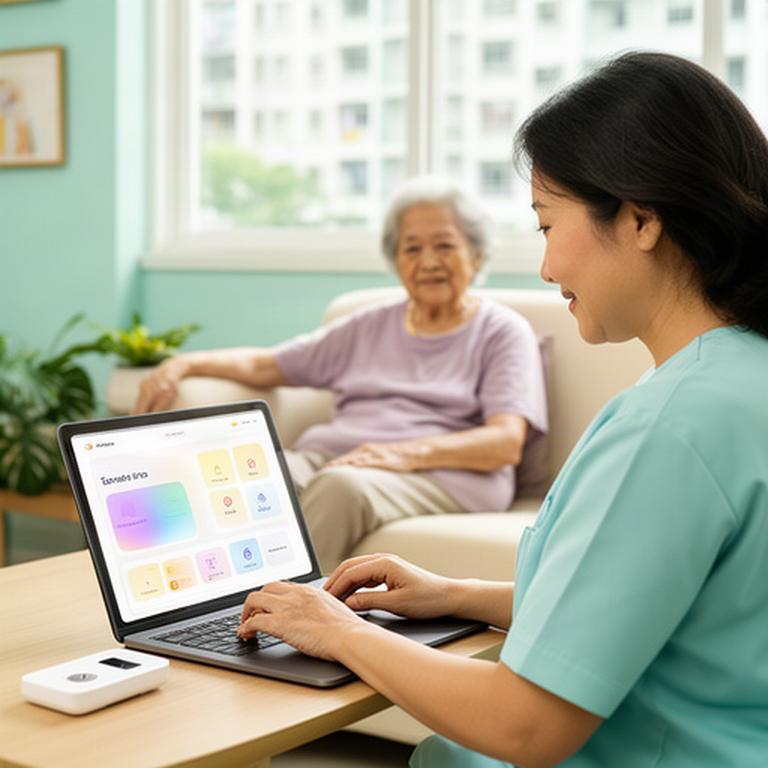
Adult daughter checking a family care dashboard at home while her elderly mother relaxes in a bright Singapore flat
Today's family update Received
Usual morning movementKitchen and living room 8:16
Reminder acknowledgedMorning medication 8:30
Sleep summary readyWithin her usual pattern 7:02

01 / Useful signals

Consolidated Alerts Instead Of Notification Overload

One family view. Clear next steps.

Caregiver alerts in Singapore should help you decide what to do, not make your phone buzz for every routine movement. A daily digest groups activity, rest and reminder updates. Events that need attention can be highlighted separately.

Set up the right people to receive updates, whether that's two siblings or a family member and a domestic helper. When one caregiver acknowledges an alert, the rest of the group can see that someone is following up.

Quiet days stay quiet.

Digest Morning routine looks usual 8:40 am
Reminder Medication prompt acknowledged 8:32 am

Sample alert content is illustrative. The household chooses its alert rules and recipient list.

02 / Patterns over time

Daily Activity And Sleep Patterns You Can Actually Read

A single unusual night may mean very little. A steady change across a week is easier to discuss with your parent, doctor or care provider. Plain-language summaries make those shifts easier to spot.

Movement through the home Example seven-day view

Hover over or focus a bar for a plain-language note. Illustrative view only; these summaries are not a medical assessment.

  • Notice room-to-room changesMovement trends can help a family spot a quieter-than-usual day at an ageing parent's HDB flat.
  • Read rest as a patternSleep and nighttime activity summaries can show changes across weeks, without treating every wake-up as an emergency.
  • Choose a sensible follow-upUse a trend as a reason to check in or raise a question with a care professional. It doesn't diagnose a condition.

03 / Gentle daily prompts

Medication, Meal And Appointment Reminders At Home

Useful prompts fit the household's routine. Set timing around existing habits, then let family caregivers see whether a reminder was acknowledged without turning the dashboard into a minute-by-minute watch.

Medication at the right moment

Schedule a prompt around a familiar part of the day, such as after breakfast. Reminder acknowledgement can appear in the family care dashboard.

See an example day

At the agreed morning time, a voice or visual prompt appears at home. If it isn't acknowledged, the family can follow the notification settings they chose together.

Meal and hydration cues

Gentle prompts can support regular meals and water breaks. Keep the wording simple and the timing comfortable for your parent's routine.

See an example day

A short mid-morning hydration cue can follow the household's usual breakfast time, with meal prompts set separately if the family wants them.

Clinic appointments on the radar

Appointment reminders can appear at home and give a designated caregiver time to help plan transport or check in before the visit.

See an example day

A reminder can be set for the evening before a clinic visit, with a separate family notification if that is part of the agreed setup.

04 / Consent comes first

Privacy Settings That Keep Your Parent In Charge

Remote support works best when your parent understands what is being shared. Agree on the settings together before installation, and make it easy to change them later.

Example sharing controls

These switches demonstrate choices. They don't change a live monitoring setup.

Make the boundaries clear before the sensors go in.

  1. 01
    Talk through each room

    Decide which areas can share routine summaries and which stay private. A parent can ask for a room to be excluded.

  2. 02
    Name the people who can see updates

    Agree which caregiver gets which alerts. Record the household's choices so siblings aren't left guessing.

  3. 03
    Review, pause or change access

    Make room for visits, travel and changing preferences. Consent should be an ongoing conversation.

05 / A practical family plan

Set Up Remote Support This Week

Bring the family members who help with care, your parent's daily routine and any questions about privacy. We'll discuss an HDB-friendly setup and agree what should happen next.

  1. 01
    Tell us about the household

    Share the flat layout, daily routines and who currently checks in.

  2. 02
    Agree what matters

    Choose the updates, reminders and privacy settings the family wants to discuss.

  3. 03
    Plan the next step

    We'll explain the assessment and installation options around your family's availability.