Fall detection
Configured sensors can flag a possible fall and send an alert to the agreed family contacts.
Fall detection detailsA fall at night, medication missed at breakfast, or a parent spending too many hours alone. K. S. Sembawang Digital Care Pte Ltd brings the right home technology together around the problem your household needs to solve first.

Set up voice-controlled routines in English for lights, selected appliances and daily reminders. Add only the sensors that match the flat and the person living in it.
Use spoken prompts for appointments, hydration and medication schedules. A caregiver can help set up the routine and adjust it later.
Track agreed movement patterns or a door opening, with notifications sent to authorised caregivers when a configured rule is met.
Bed-presence and bathroom-area sensors can help flag a change in routine without requiring a camera in private spaces.
Device placement is planned around floor area, Wi-Fi coverage, mobility and the household's existing equipment. Keep the interface simple. Add devices as needs change.
Choose discreet monitoring rules and a clear alert order. Caregivers can see when an alert arrives and whether someone has acknowledged it.
Configured sensors can flag a possible fall and send an alert to the agreed family contacts.
Fall detection detailsSet a household-specific activity window and flag a notable change for a caregiver to check.
Remote care optionsMonitor agreed movement between rooms, including trips that may need a safer lighting route.
Review monitoringDefine who gets notified first, who follows up, and how the family confirms an alert was seen.
Plan caregiver alertsClear limits: monitoring notifications support caregiver awareness. They do not diagnose a condition or replace emergency services or clinical advice.
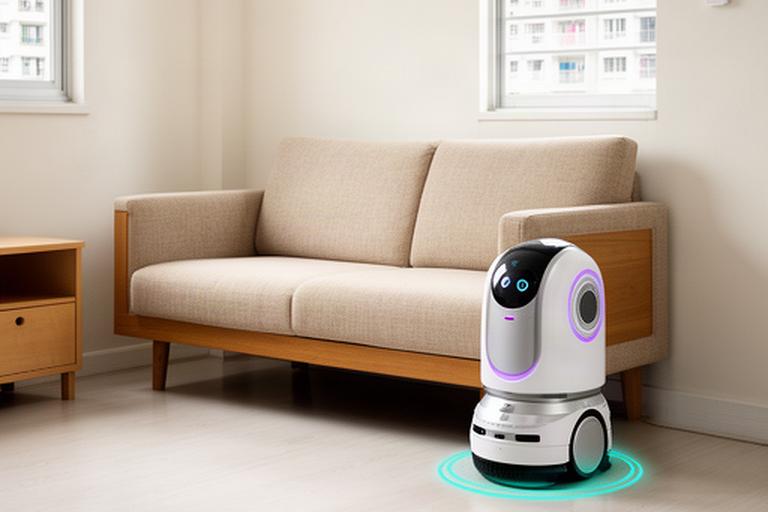
Robots can take on repetitive household tasks or prompt a moment of conversation. Their job should fit the home, not take it over.
Plan routes around furniture, thresholds and the places a robot should avoid.
Conversation prompts and cognitive activities can offer structure during a quiet day.
Set practical limits for children and coordinate devices with existing smart-home equipment.
Automation should make the next step clear and reduce avoidable effort. Start with one routine, then add another if it helps.
Set a low-glare path between bedroom and bathroom, triggered by movement at the hours that matter.
View HDB home optionsSchedule medication, hydration and appointment prompts using voice or visual cues the resident can follow.
See assistance servicesCoordinate lights and selected appliances around family schedules, with settings that avoid needless operation.
Plan home automationAuthorised family members and care teams can check activity trends, alert history and reminder follow-through in one place. Access is set by the household.
Share the home, care setting or project you have in mind. The next step is a conversation about needs, layout and who will respond to alerts.
Describe the daily routine, HDB flat type and the concern you want to address first.
Request a household assessmentDiscuss a pilot, staff handovers and how alerts could fit your organisation's process.
Discuss provider solutionsShare the development type, resident needs and stage of planning with the team.
Enquire about a projectEvery recommendation follows an assessment of the home or care setting. Start with the immediate need; devices and routines can be added in stages.